Our software / BI Portal

Reporting and requests.
Brought together.

BI Portal is a clik digital software package already used by client organisations. It gives people a central place to find reports, access guidance and request support, combining a searchable reporting library with configurable request forms, messaging and work management.

Discuss BI Portal

Inside BI Portal

Explore the application.

Demonstration data · Select a screen to explore it

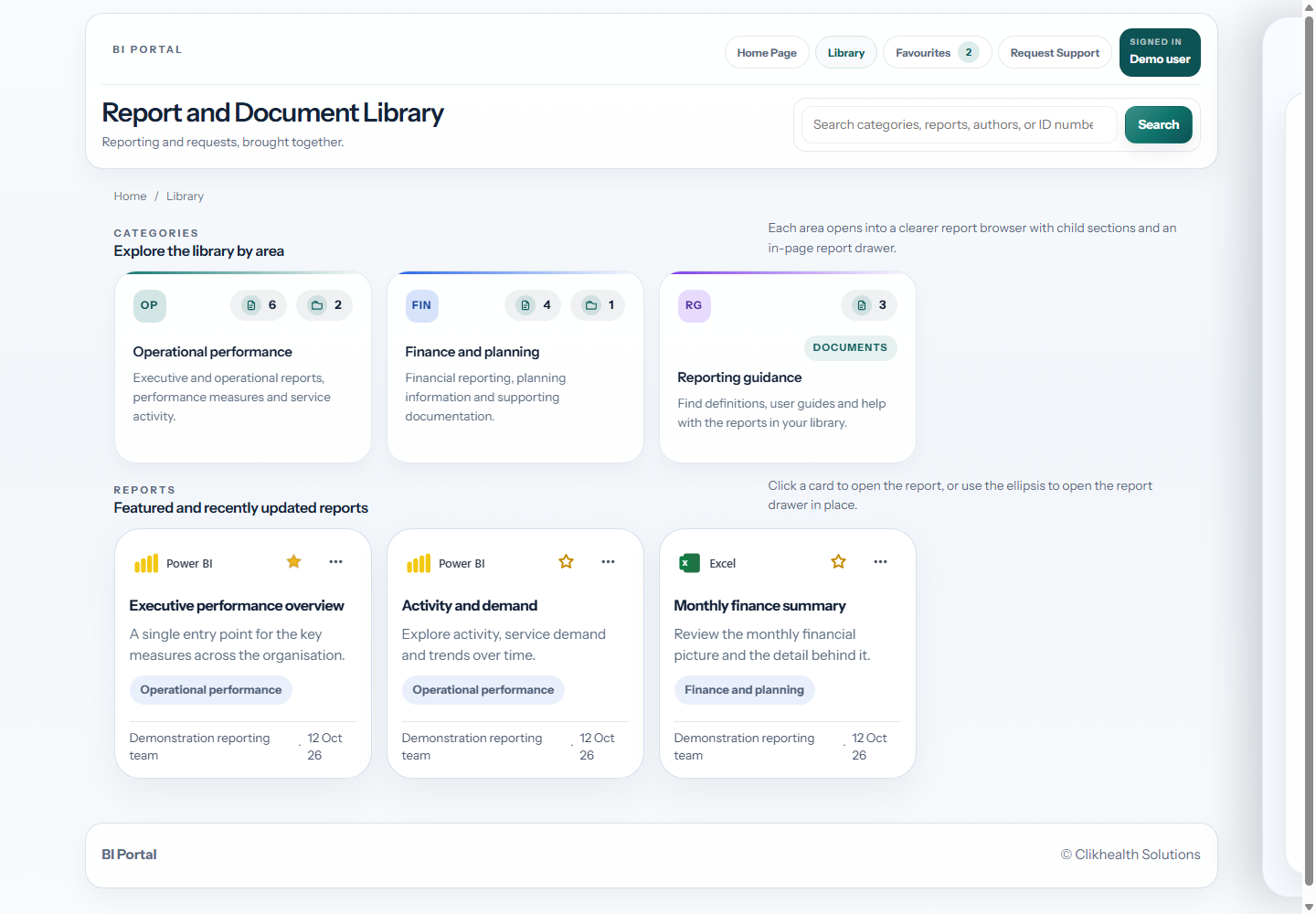
BI Portal library displaying demonstration categories and reporting cards.

Find reports and documents

Browse reporting categories and find reports or supporting guidance. Actual BI Portal interface shown with demonstration content.

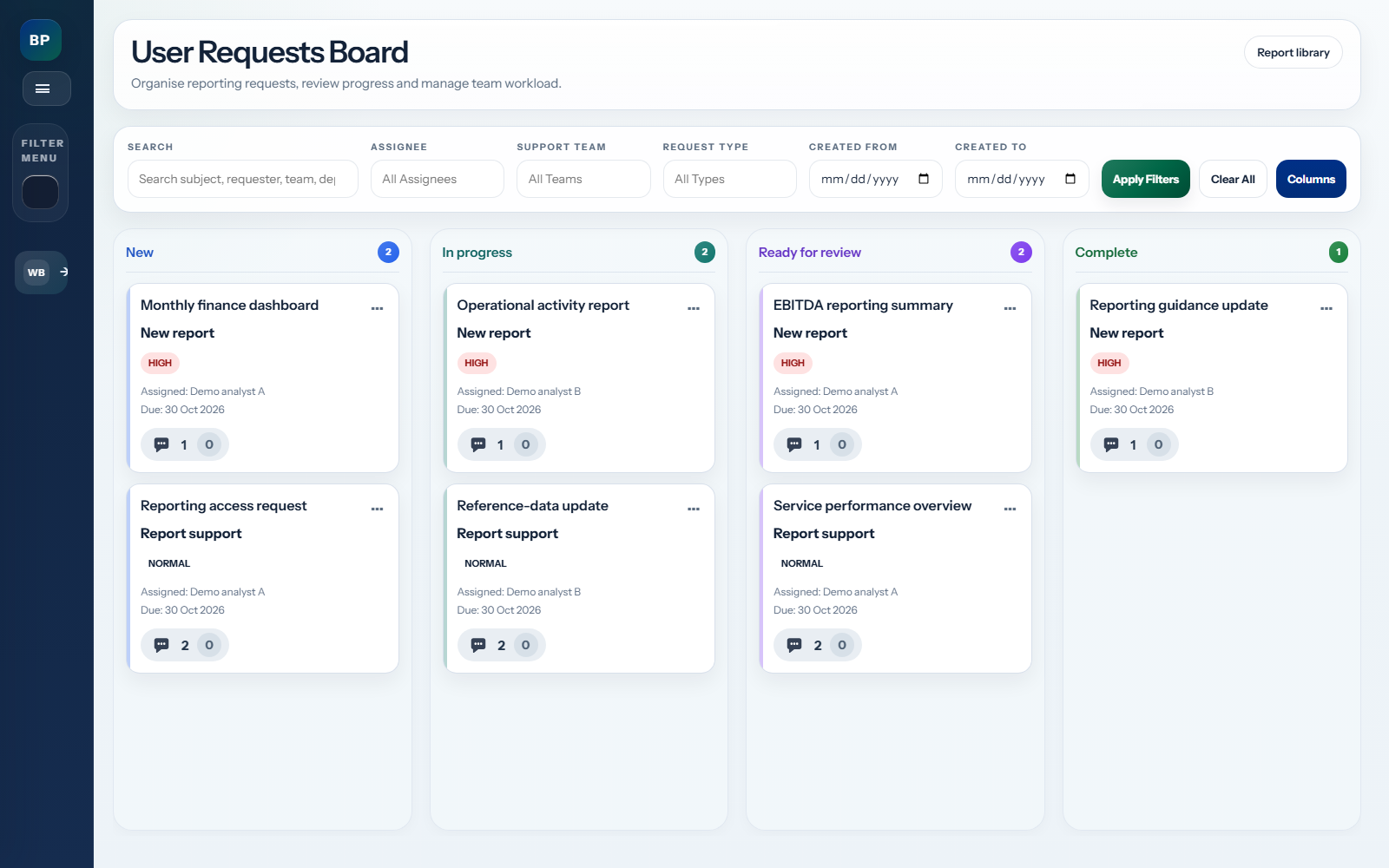
BI Portal Kanban board with demonstration reporting requests arranged across four workflow statuses.

Kanban work board

Organise requests by status and see assignments, priorities and messages at a glance. Actual BI Portal interface shown with demonstration requests.

Inside BI Portal

Find reports and documents

BI Portal library displaying demonstration categories and reporting cards.

1 / 2

What you can do with BI Portal.

01

Find the reporting you need.

Browse categories, search the library and save favourites. Bring reports and supporting documents together with descriptions and guidance.

  • Report and document library
  • Categories, search and favourites
  • Report owners, guidance and refresh information
  • Power BI report previews where configured
02

Capture a useful request.

Choose a request type and complete the form configured for it. Conditional questions and attachments help collect the information your BI team needs.

  • Configurable request templates
  • Reusable fields and conditional questions
  • File attachments
  • Request progress and messaging
03

Manage the work together.

Use assignment, priorities, status lists and boards to organise incoming work. Keep the conversation and request history alongside the task.

  • Assignment and priority management
  • Request lists and status boards
  • Messaging and request history
  • Effort logging
04

Understand workload and delivery.

Review incoming demand, open requests, completed work and team performance. Filter the picture by request type, team, assignee and date.

  • Open and completed workload
  • Team and assignee reporting
  • Due-date and completion views
  • Date and request-type filters

Let’s make more
of your data.

Tell us how people find reports and request work today. We’ll discuss BI Portal, your reporting environment and the forms and workflows your team needs.

info@clikhealthsolutions.co.uk