We design and build Power BI dashboards around the questions your organisation needs to answer, including financial reporting and financial modelling. Our wider reporting expertise includes QlikView, SQL Server Reporting Services (SSRS) and web-based visualisation with Highcharts and D3.js.
Start with the questions people need to answer, then develop the layout, visuals and interactions around them. We create Power BI dashboards for executive overviews, operational reporting and more detailed analysis.
Power BI dashboard design and development
Executive scorecards and operational dashboards
Filters, navigation and drillthrough
Reporting shaped around its users
02
Understand financial performance.
Our experience includes financial reporting and financial modelling. We develop reporting around the financial measures your organisation uses, with clear definitions and access to the supporting detail so teams can explore performance and understand the figures behind it.
Financial performance reporting
Financial modelling
Agreed measure definitions
Reporting linked to supporting data
03
Get the foundations right.
A useful report starts with clear definitions. We develop semantic models and calculations that make the relationships, reporting periods and business rules explicit.
Semantic modelling and relationships
DAX calculations and reusable measures
KPI definitions and model documentation
04
Give the detail a clear shape.
Bring performance, pathways and geographic comparisons into view. Custom visualisations help explain the story when a standard chart is not enough.
Executive scorecards and operational dashboards
Deneb visualisations and drillthrough
Pathway, conversion and waiting-time analysis
Site, catchment and competitor comparisons
05
Put mapping and data together.
Our experience includes mapping and demographic analysis for service planning, alongside logistics-related analysis. We have supported assessments of whether additional clinics are needed and analysed the locations of A&E departments. Combining maps with data helps teams explore geographic patterns and the information behind them.
Demographic analysis and mapping
Assessment of additional clinic provision
A&E department location analysis
Geographic analysis for service planning and logistics
Site, distance and catchment comparisons
06
Work with your reporting environment.
Our reporting experience extends to QlikView and SQL Server Reporting Services (SSRS). We also use Highcharts and D3.js to create visualisations for web applications, shaping the presentation around the information and the people using it.
QlikView reporting
SQL Server Reporting Services (SSRS)
Highcharts web visualisations
Custom visualisation with D3.js
07
Improve the reporting you already have.
We can review existing reports with your team to identify confusing measures, difficult navigation and opportunities to improve the model. Agree the review scope and priorities before development starts.
Model, calculation and report usability reviews
DAX refactoring and report development
Documentation, handover and agreed ongoing support
From information to action
A clearer view, in practice.
Financial and executive reporting, complex pathways and geographic comparisons. Explore some of the questions our reporting and analytics can help you answer.
Illustrative examples with synthetic data, showing the types of reporting we develop.
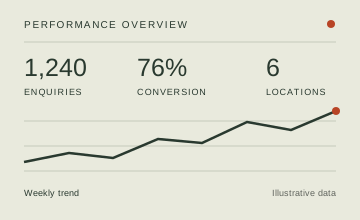
01 / Performance
One view of performance.
Where do we need to focus?
Bring key measures, trends and comparisons together in an executive scorecard. Move from the headline to the detail behind it.
Shared KPI definitions
Performance against a target
Drillthrough to supporting detail
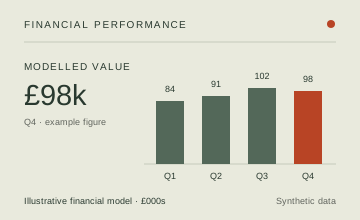
02 / Finance
Understand financial performance.
What is driving the financial picture?
Bring financial reporting and modelling into a clear view of performance. Explore trends and the detail behind the figures using measures agreed with your team.
Financial performance reporting
Financial modelling
Clear definitions and supporting detail
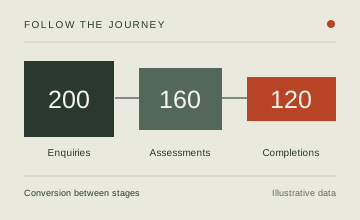
03 / Pathways
Understand every stage.
Where does progress slow down?
Follow a referral, service or customer journey. Explore conversion between stages, waiting points and reasons for dropout.
Stage and cohort comparisons
Conversion and dropout analysis
Custom visuals for complex journeys
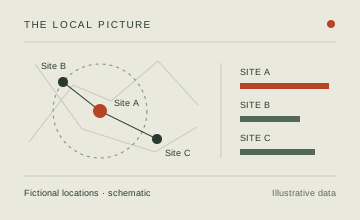
04 / Geography
See the local picture.
How do locations compare?
Explore demographic patterns, site performance, catchments and proximity. Use maps alongside your data to support service planning, from assessing whether additional clinics are needed to understanding A&E department locations.
Tell us what you need to understand, who will use the reporting and which tools you use today. We can discuss Power BI dashboards, QlikView or SSRS reporting, web-based visualisations or improvements to your current solution.